
QualiaMods is a community mod framework for Lucid Blocks, published by MarcyMarbles on GitHub, with an editor plugin that creates and packs mods. A QualiaMods mod is still a .pck, but the framework starts it instead of the game's own loader. A native library is never part of that: the game loads it before any pack. A mod can ship both, and its .pck is the QualiaMods part. The framework adds:
- a Mods menu in the game, where players turn mods on and off and change their settings;
- dependencies between mods and a load order;
- hooks for game events, such as the world finishing loading or the player being able to move.
Players need the framework as well as your mod (see What players install).
The setup steps come from rekitrelt's guide on the Lucid Blocks Discord server. His mods Air Strafe, Spawner+, Apotheon, CMDS and NoFog are built with QualiaMods, and their source is on GitHub.
What you need
- A decompiled copy of the game project, made with GDRE Tools.
- The double-precision Godot 4.6 editor. The game's developer shared a build on Google Drive.
- The SDK, a folder named
addons/qualiamods. It is attached to rekitrelt's guide asQualiaMods sdk installer.zip, and the same files are in thesdk/addonsfolder of the QualiaMods repository.
The repository's QUICKSTART and ENCYCLOPEDIA document the framework's API.
Set up the SDK
- Unzip the SDK into the project folder, so that the plugin ends up in
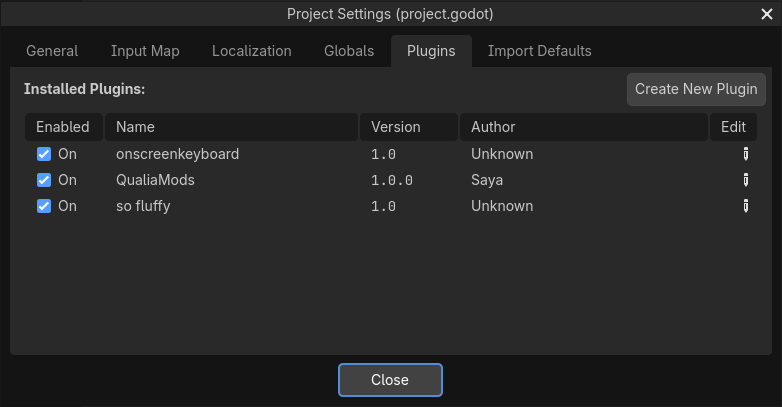
addons/qualiamodsnext toproject.godot. - Open the project, choose Project Settings from the Project menu and go to the Plugins tab. Tick QualiaMods.
- Click Setup QualiaMods at the right end of the top bar. It downloads the framework and installs it into the project.
- When the QualiaMods Installed message appears, choose Reload Current Project from the Project menu.

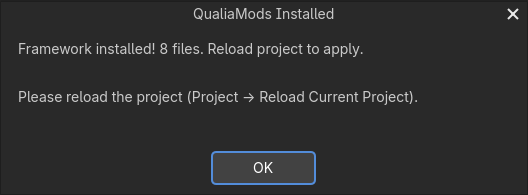
The top bar then shows New Mod, Pack Mod and Hooks, and a CFG Editor tab opens in the right-hand dock.

Setup writes 8 files: the framework in res://mods/qualiamods/, its Mods menu in res://main/ui/menu/mods_menu/, and its own copy of the game's res://main/autoload/ref.gd. The game's original is kept beside it as ref.gd.backup. The files come from the framework's dev-experience branch on GitHub as it is at that moment, not from a release.
Create a mod
Click New Mod and fill in the dialog. The Mod ID becomes the mod's folder and the name of its .pck. The dialog accepts only lowercase letters, digits and underscores.
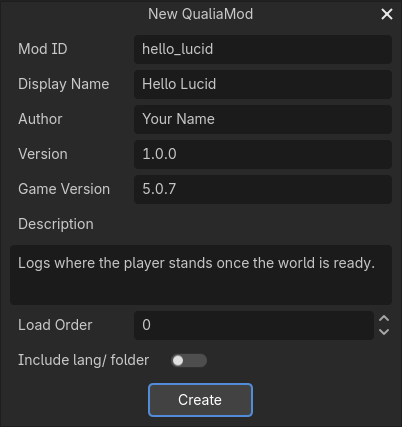
Create adds two files:
res://mods/hello_lucid/mod.cfg
res://mods/hello_lucid/mod_main.gd
mod.cfg holds the mod's name, version, author, description, game version and load order. The Mods menu shows the first four. Select mod.cfg in the FileSystem dock and it opens in the CFG Editor.
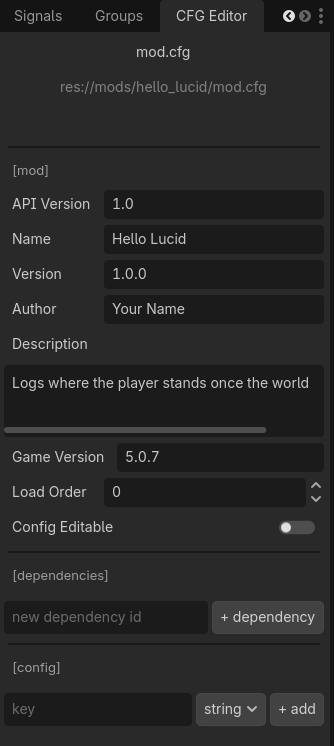
The CFG Editor also edits two more sections:
[dependencies]lists the ids of mods this one needs. A mod whose dependency is missing or turned off doesn't start.[config]holds settings players change in the Mods menu. A true or false value shows as a switch, a number as a number box, anything else as a text field. The mod reads them withget_cfg("key", default).
mod_main.gd is the mod's code. It extends the framework's base script, and a function named _on_<hook> runs on that hook. For example:
extends "res://mods/qualiamods/mod_base.gd"


func _setup() -> void:
	log_info("Initialized")


func _on_game_playable() -> void:
	log_info("Player is at %s" % Ref.player.global_position)
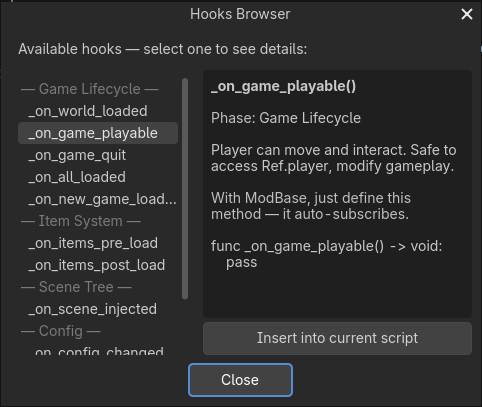
_setup() runs once, when the framework starts the mod. _on_game_playable() runs when the player can move. Hooks opens a list of every hook with a short description, and Insert into current script adds the hook's function to the script you have open.
rekitrelt's guide also suggests starting from one of his mods: copy its source folder into res://mods/. His repository has no license, so ask him before you publish a mod built on his code.
Test in the editor
Press F5 or the Play button. In the editor the framework loads every folder in res://mods/ that has a mod.cfg, without packing it (folders whose names start with _ or . are skipped), and the Output panel shows [QualiaMods] Editor mod: hello_lucid. Lines from log_info start with the mod id, like [hello_lucid] Initialized.
Pack the mod
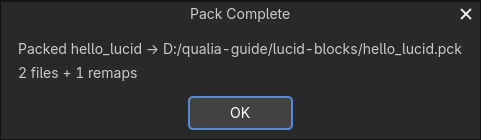
Click Pack Mod, pick the mod and click Pack. The pack is written next to project.godot and named after the mod id.
Pack Mod takes every file in the mod's folder except .import and .uid files, and nothing outside it, so the pack replaces none of the game's files. Scripts go in as plain source. Imported assets don't survive: textures, sounds and fonts go in without the imported copies the game reads, so load() can't open them in the game even though they work in the editor. Anything else in the folder, such as notes or image sources, goes into the pack too.
What players install
Players put two files in the game's mods folder (see Install a mod):
_000_qualiamods.pck, the framework, from the QualiaMods releases. Keep its name, which makes it load first, and keep it directly inmods, not in a subfolder.- Your mod's
.pck, named exactly as Pack Mod wrote it.
The framework finds a mod by its file name, capital letters included. A pack renamed to hello_lucid (1).pck or Hello_Lucid.pck still loads its files, but mod_main.gd never runs. Without the framework, the pack loads and does nothing.
In the game, the mods button in the main menu opens the Mods menu. Saving a setting passes the new value to the mod at once; whether it takes effect before a restart depends on the mod. Turning a mod on or off applies after a restart.
When you publish, upload the .pck under its exact name and say in the description that it needs QualiaMods. Lucidpedia's upload check recognises a QualiaMods mod by its mod.cfg or mod_main.gd, and on a first upload reads its name, version and other mod.cfg fields into the new-mod form. It warns when the file you uploaded is named differently from the mod's folder, so a renamed pack is caught before anyone downloads it, and when mod.cfg itself reads oddly in Godot: comments starting with # instead of ;, a byte order mark, or a version number left unquoted.
Known problems
- The framework replaces the game's
ref.gdwith its own copy, which is older than game 4.0.0. The copy lackschallenge_status_menu, which the game uses when the player dies during a challenge, so that death can leave the game stuck while the framework is installed. Setup made the same change to your project, so editor play runs with the older copy too. - A game update that changes
ref.gdor the menus the framework edits needs a new framework release. ModLoader.wrap_method()doesn't reach the game's own code: the game never calls through the framework, so a wrapper never runs. As rekitrelt's guide advises, extend a game script by its path and swap your version in, or connect to the game's signals. A game update can still change the functions you override.- The
_on_items_pre_loadand_on_items_post_loadhooks never fire.register_items()only records a path, andModLoader.register_item_resource()only adds the item to the game's item list. The game builds block types, the texture atlas and item meshes once at startup, so test a new item in the game before you publish it. - Hooks inserts every function without parameters. Two hooks need them:
_on_scene_injected(parent_path, node), and_on_config_changed, which the base script already defines; put code for a changed setting in_config_changed()instead. - The Mods menu turns off only QualiaMods mods. A pack's files, and a plain mod's
mod_init.gd, stay active until the pack leavesmods.